
Price check from the couch
Playing Path of Exile or Path of Exile 2 on a console? Photograph the item tooltip on your TV and your phone reads it and searches the official trade site for the same item.
proof of concept Android 8 or newer, 64-bit phone.
How it works
-
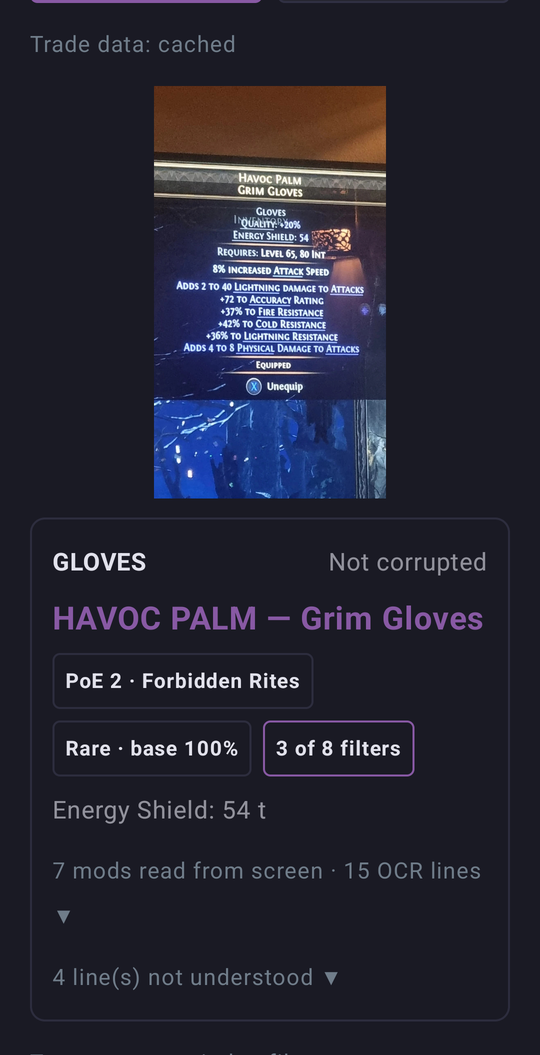
1 Photograph the tooltip
Pick the game, platform and league, tap Take photo, zoom in until the tooltip fills the frame, and capture.
-
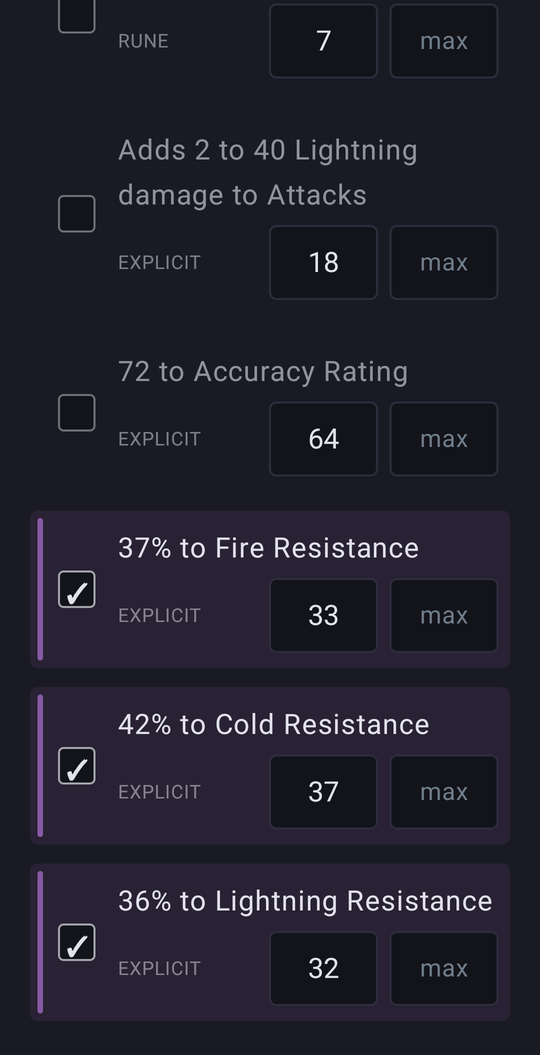
2 Tune the filters
The item's mods become search filters, like on the desktop. Tap one to switch it on or off and the search re-runs.
-
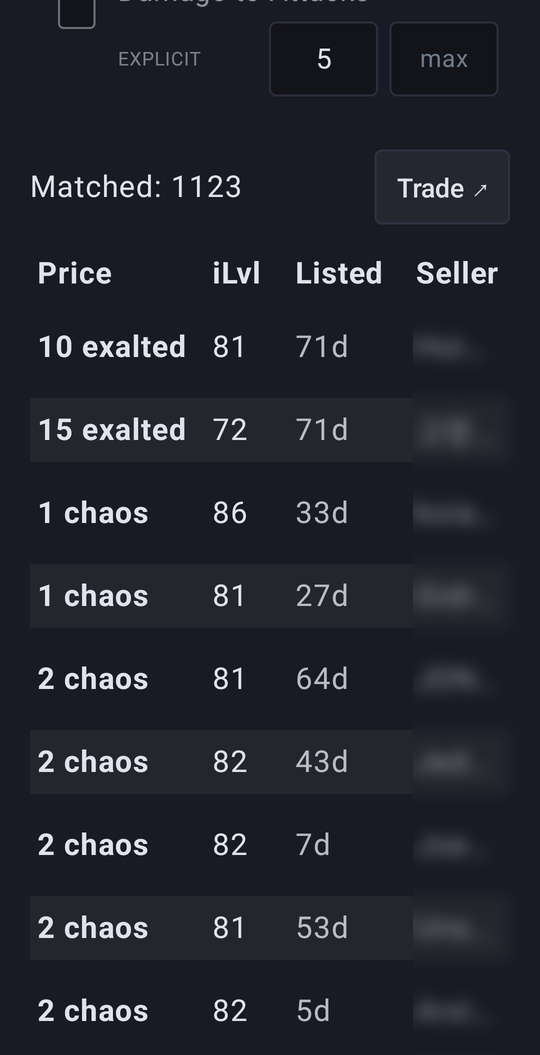
3 See the listings
The cheapest matching listings from your console's trade realm.
Text recognition runs on the phone, so the photo never leaves it. The trade search uses the same Rust core as the desktop app, with the console realms added.
Install
- On your phone, download the APK from the latest release.
- Open it, and allow installing from your browser when Android asks.
- Start Looting Glass, pick your game, platform and league, and take a photo.
The app isn't on Google Play. Android may warn that it comes from an unknown source.
Accuracy
A mod only counts as read correctly if it gives exactly the same trade search as copying the item in game.
- 24 / 25mods read correctly from phone photos of an Xbox on a TV
- 93.5%of mods on real PoE 2 screenshots
- 98.9%of mods on 21 test tooltips, including simulated TV photos
It's a proof of concept, measured on a small set so far. Photos of more items help: open an issue with a photo and the item's text.
Changelog
To update, install the new APK over the old one; your settings are kept. Every release is on GitHub releases.